Start with an issue
someone can act on
A summary, a description, an assignee and dates. View the same work as a list, a QQL search, a board or a sprint.
Fields for the team
Create issue types, workflows and custom fields in company settings. Project settings select the types and workflows, connect fields and arrange the issue screen. A field such as "Component" can identify the part of the product involved. Issues also support checklists, attachments and links to other issues.
Read the documentation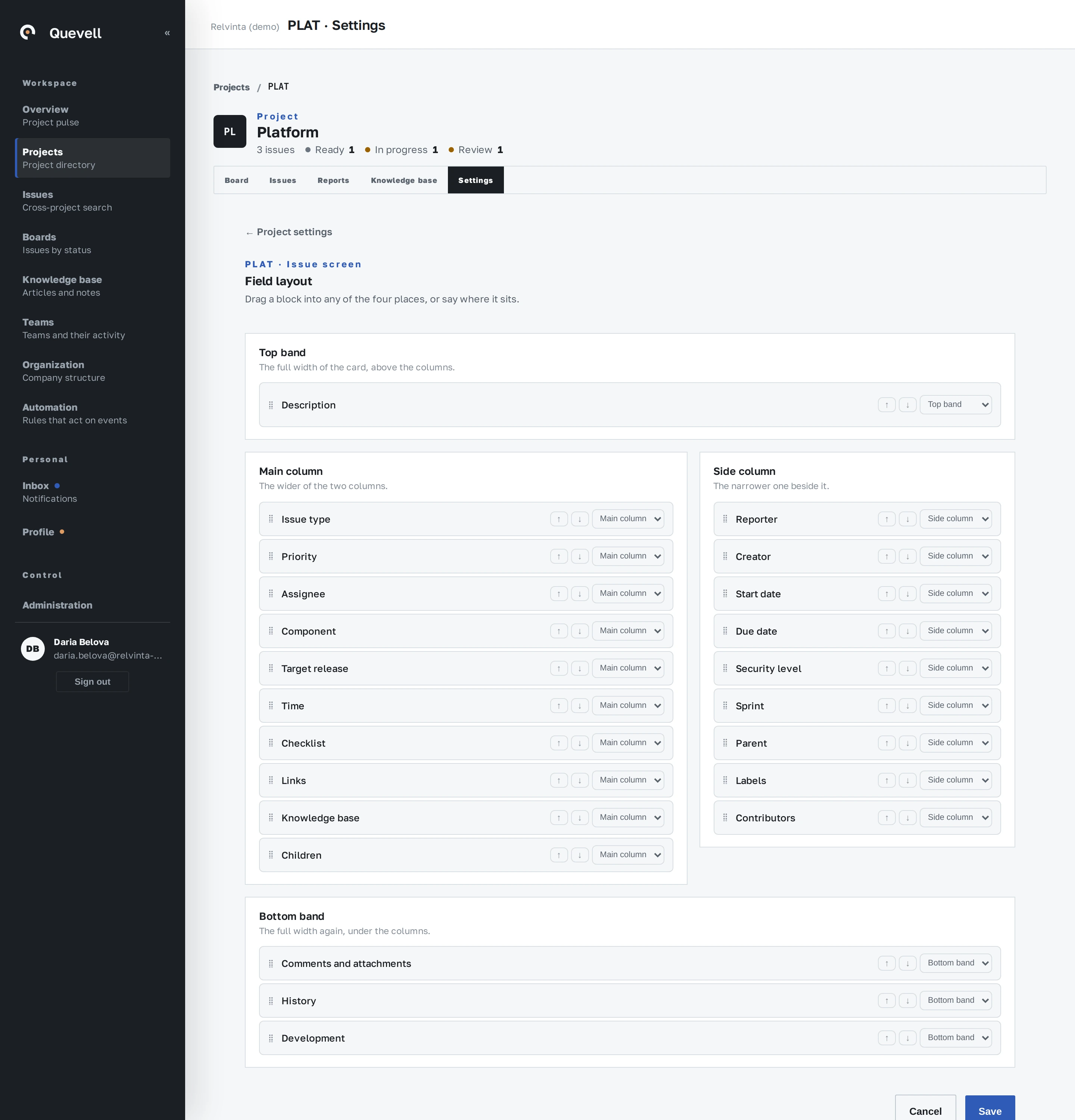
Plan what comes next
Kanban boards show issues by column. Scrum boards connect the backlog to dated sprints. When a sprint ends, unfinished issues return to the backlog.
Read the documentation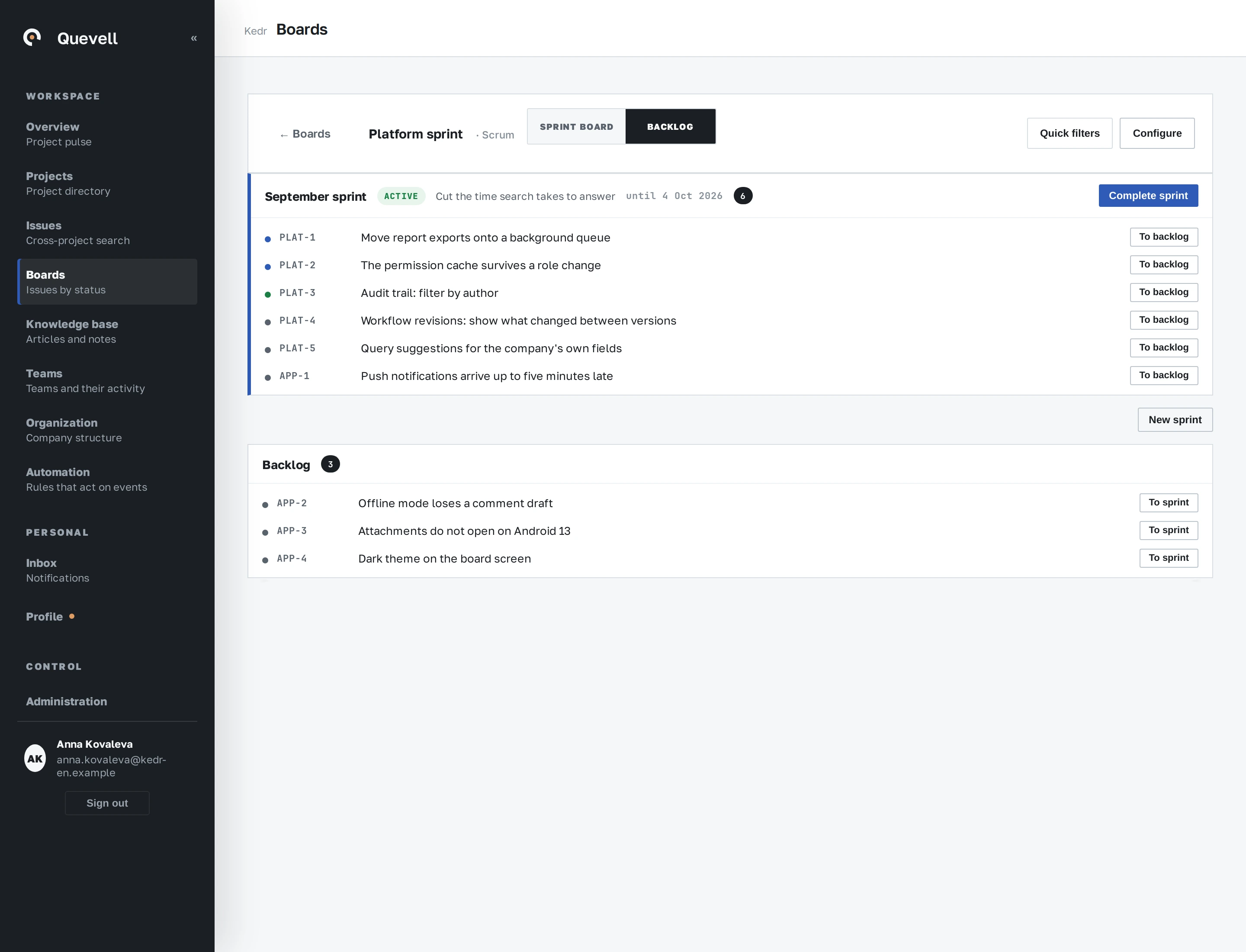
Track estimates and time
An issue holds its original and remaining estimates and individual worklogs. Each entry records the author, date and note. Compare total time spent with the estimate.
Read the documentation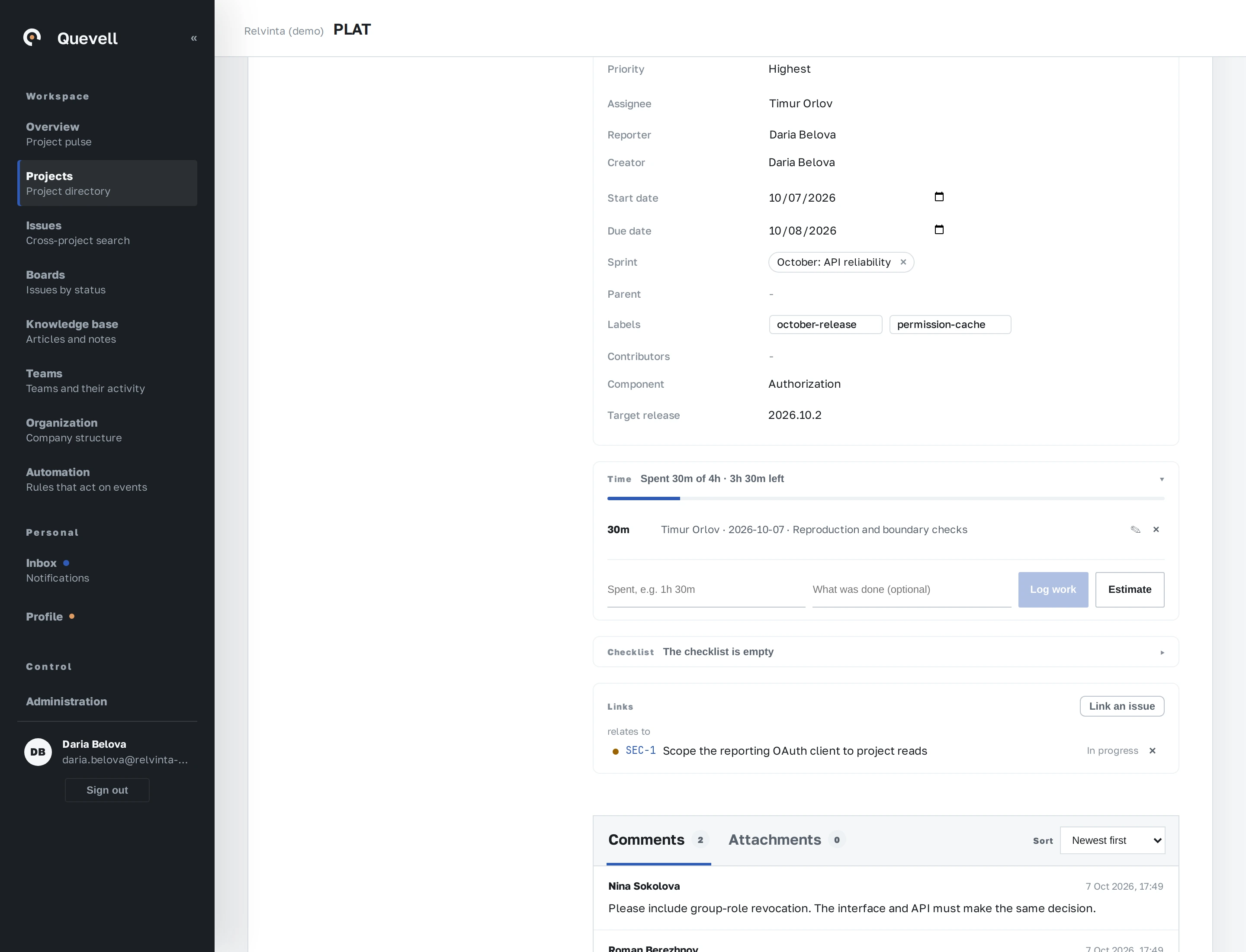
Try it with your own work
30 calendar days, up to 10 seats, the full product.